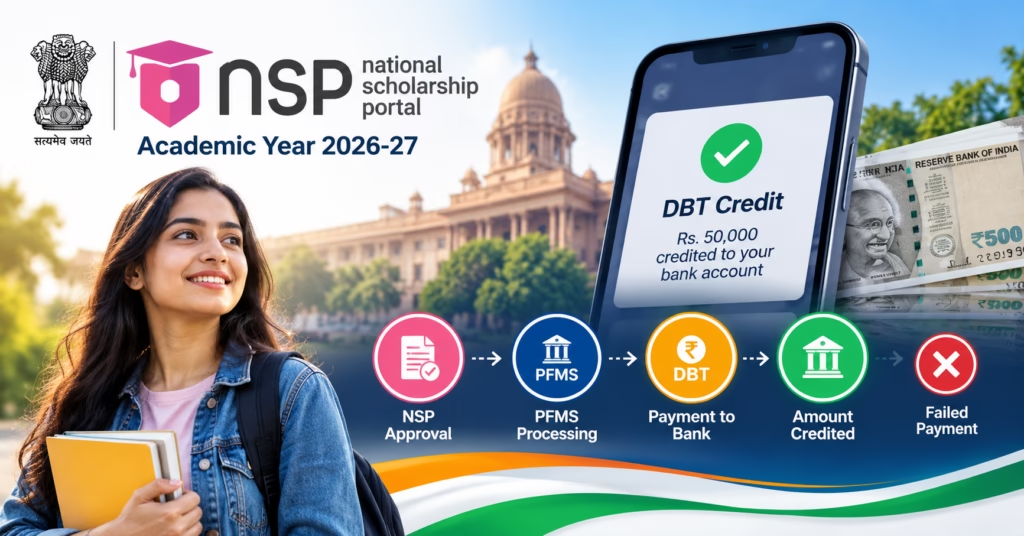
Students waiting for their NSP Scholarship Payment 2026–27 can check application progress through the National Scholarship Portal and track available payment information using the Public Financial Management System (PFMS). However, an application marked as verified, approved or sanctioned does not necessarily mean the scholarship amount has reached the student’s bank account.
Scholarship disbursement involves separate stages of institutional verification, departmental approval, payment authorization and banking transactions. This is why students sometimes see their application approved on NSP but receive no payment information on PFMS.
This guide explains how to check NSP Scholarship Payment Status 2026–27, understand PFMS payment results, identify possible DBT or bank-account problems, and take the appropriate action when scholarship money is delayed, missing or rejected.
NSP Scholarship Payment Status 2026–27 Overview
The National Scholarship Portal (NSP) manages applications for scholarship schemes offered by participating government ministries and departments.
PFMS, or the Public Financial Management System, supports government financial management and payment tracking, including applicable scholarship disbursements.
| Particulars | Details |
|---|---|
| Scholarship Platform | National Scholarship Portal (NSP) |
| Academic Session | 2026–27 |
| Application Status | NSP student login |
| Payment Tracking | PFMS, where applicable |
| NSP Login | 14-digit OTR number and password |
| Payment Method | Applicable government disbursement arrangements, including DBT |
| Aadhaar-Bank Status | Check through UIDAI and supported services |
| Payment Schedule | Scheme-specific |
| Official NSP Website | scholarships.gov.in |
| Official PFMS Website | pfms.nic.in |
| NSP Helpdesk | 0120-6619540 |
| PFMS Helpdesk | 1800-118-111 |
The three most important services have different purposes.
| Where to Check | What It Tells You |
|---|---|
| NSP | Whether the scholarship application has completed the relevant verification and approval stages |
| PFMS | Available payment records and transaction-processing information |
| Bank Statement | Whether the scholarship amount has actually been credited |
Important: An approved NSP application and a successful scholarship payment are different outcomes.
How NSP Scholarship Payment Is Processed
Scholarship money is not automatically released when a student completes the application form.
The application first needs to satisfy the verification and approval requirements of the selected scholarship scheme.
A simplified payment process is:
Application Submitted → Institution Verification → Nodal/Departmental Verification → Approval or Sanction → Payment Processing → Bank Credit
Where the relevant scheme uses PFMS for payment processing, transaction information may become available through the PFMS tracking service.
Understanding Each Stage
Application submission: The student has completed the online form. Eligibility and documents may still require verification.
Institution verification: The school, college or university completes the checks assigned to it.
Departmental verification: The relevant scholarship authority reviews the application according to the scheme’s administrative requirements.
Approval: The application has passed an applicable approval stage, but payment authorization may still be pending.
Sanction: The responsible authority has authorized the relevant scholarship expenditure or benefit according to the applicable process.
Payment processing: The authorized payment is being prepared or processed through the relevant government and banking systems.
Bank credit: The student’s registered bank account has received the scholarship amount.
Not every scholarship displays these stages using identical wording.
Students should rely on the actual status and instructions shown for their own application.
How to Check NSP Scholarship Payment Status 2026–27 on PFMS
The official NSP Student Services page provides a Track Your Payment option that connects students to the PFMS payment-tracking service.
Students should first check their application status, especially if their scholarship is still awaiting verification.
Step-by-Step PFMS Scholarship Payment Check
Step 1: Visit the National Scholarship Portal. Open the official NSP Student Services page.
Step 2: Select Track Your Payment. Locate the Track Your Payment service in the student section.
Step 3: Open the PFMS payment tracker. The service directs students to the relevant government payment-tracking facility.
Alternatively, open the official PFMS website.
Step 4: Choose the appropriate payment-status service. PFMS offers beneficiary payment tracking, including services such as Know Your Payment and applicable NSP/DBT tracking facilities.
Step 5: Enter the requested details. Depending on the service selected, the portal may ask for the bank name, account number, beneficiary information, application or payment reference, and captcha.
Step 6: Submit the payment enquiry. Complete the required security verification and search for the available payment record.
Step 7: Review the result. Check whether a transaction is recorded, its processing status, any failure information, and the available payment details.
The exact fields depend on the PFMS service currently displayed. Students should follow the official form rather than assume that an NSP Application ID can be entered into every PFMS tracker.
Which Details Should You Keep Ready?
| Information | Purpose |
|---|---|
| NSP Application ID | Identifies the relevant scholarship application |
| Scholarship Scheme Name | Helps distinguish between different benefits |
| Academic Session | Identifies the applicable scholarship year |
| Bank Name | Used in account-based tracking where required |
| Bank Account Number | Identifies the beneficiary account in applicable services |
| Payment Reference | Useful where the tracking service supports it |
Only submit banking information through the genuine government website. A legitimate status check should not require you to disclose your ATM PIN, UPI PIN or internet-banking password.
Check NSP Application Status Before PFMS Payment
If PFMS does not show any payment information, the first question is whether the scholarship application has reached an eligible payment stage.
How to Check NSP Application Status
Step 1: Open NSP Student Services.
Step 2: Select Apply For Scholarship.
Step 3: Log in using your existing OTR number and password.
Step 4: Open the relevant fresh or renewal application for the 2026–27 academic session.
Step 5: Review its current application and verification status.
The current NSP application-login service supports applications from academic year 2024–25 onward. The separate legacy Application Status service relates to older academic sessions.
What Does Your NSP Application Status Mean for Payment?
| Application Situation | Payment Implication |
|---|---|
| Draft or incomplete | The application has not completed submission |
| Submitted | Verification may still be pending |
| Under Institution Verification | Institutional review remains |
| Defective or returned | A correction may be necessary before processing |
| Verified | A required verification stage is complete |
| Approved | Application approval has occurred; disbursement may remain pending |
| Sanctioned | Payment has reached a relevant authorization stage |
| Rejected | The application has not passed the specified requirement |
A status such as Verified does not necessarily mean the applicant is approved for payment.
Likewise, an application may be approved while no corresponding payment transaction is yet visible through PFMS.
For registration, eligibility and scheme-specific application details, see our NSP Scholarship 2026–27 guide.
PFMS Scholarship Payment Status Meaning
PFMS payment-tracking results can help students understand what happened to a government payment after it entered the relevant processing system.
The descriptions below explain commonly encountered situations. Exact wording and available fields can differ between the PFMS tracking services.
| Payment Result or Situation | What It Generally Means | Recommended Action |
|---|---|---|
| No Record Found | No matching payment record was retrieved | Check tracking details and NSP processing stage |
| Under Processing | Transaction processing is not complete | Review the payment stage for updates |
| Payment Sent | Payment has been initiated toward the beneficiary bank | Check subsequent transaction information and bank credit |
| Success | The payment system reports successful processing | Confirm the actual account credit |
| Failed | The payment did not complete successfully | Identify the failure reason |
| Returned or Rejected | Transaction could not be credited or was returned | Contact the relevant bank or payment authority |
PFMS No Record Found
A No Record Found result does not automatically mean that the student’s scholarship has been rejected.
Possible explanations include:
- The application has not reached sanction.
- The payment instruction has not entered the relevant tracker.
- The selected tracking route does not match the transaction.
- Incorrect beneficiary or bank information was entered.
- The payment record is not yet available in the search results.
What to do: First check the application through NSP. If approval or sanction is incomplete, follow the pending application stage.
If sanction is complete, confirm that the selected PFMS tracking service and entered details are correct before contacting support.
PFMS Payment Under Processing
An under-processing result generally means that the recorded transaction has not completed its payment workflow.
Students should check the available payment details and any status remarks.
Do not assume that the payment has failed unless a failure or rejection is reported.
PFMS Payment Sent
This generally indicates that a payment instruction or transaction has been sent toward the banking system.
It does not always establish that the beneficiary account has already received the money.
Check the transaction details and bank statement.
PFMS Payment Success
A successful result is a positive payment-processing outcome.
Students should still confirm the amount and date of credit in the actual beneficiary bank account.
If PFMS reports success but the account has no matching credit, note the available transaction reference and ask the bank to investigate.
PFMS Payment Failed
A failed payment indicates that the recorded transaction could not be completed successfully.
The failure reason is particularly important.
Possible causes include invalid account information, bank-side restrictions, beneficiary mismatches or Aadhaar-based payment routing issues, depending on the disbursement method.
Students should identify the actual failure remark before making changes.
NSP Scholarship Approved but Payment Not Received
This is one of the most common problems reported by scholarship applicants.
An approval-related status may indicate that the application has passed an eligibility or administrative check. It does not necessarily establish that the scholarship payment has been authorized and transferred.
Approved on NSP but No Record on PFMS
If NSP shows Approved and PFMS cannot find a matching payment, consider the following possibilities.
Sanction is still pending. The responsible authority may not yet have authorized payment.
Payment instructions are not available. A transaction may not yet have been created in the relevant payment workflow.
Payment processing has not reached the selected tracker. The record may be unavailable through that particular enquiry service.
Tracking information is incorrect. The bank or reference details may not match the underlying payment record.
The application belongs to another academic session. Students sometimes check a previous year’s scholarship using the current year’s application information.
Start by checking the specific NSP application and scheme rather than repeatedly searching PFMS without knowing the sanction stage.
NSP Sanctioned but Payment Not Credited
If an application shows Sanctioned, the next step is to check whether an actual payment transaction has been initiated.
A sanctioned benefit can still require payment processing and banking settlement.
If PFMS shows a transaction, inspect its reported outcome.
If no transaction is available, contact the relevant scholarship scheme authority to clarify the disbursement stage.
There is no reason to submit a second scholarship application solely because payment has not arrived.
NSP Scholarship Payment Date 2026–27
There is no single confirmed payment date applicable to every NSP Scholarship 2026–27 beneficiary.
NSP hosts multiple schemes managed by different ministries and departments. These may follow separate application, verification, sanction and payment schedules.
The actual payment date can depend on:
- The scholarship scheme
- Academic-session application deadlines
- Institution verification
- Departmental approval
- Availability of the relevant sanction
- Payment processing
- Banking settlement
How Many Days After Approval Will NSP Scholarship Money Arrive?
There is no universally applicable number of days after approval.
For one student, approval may be followed by a relatively short processing period. Another student’s payment may take longer because the responsible authority has not completed sanction or disbursement arrangements.
The appropriate approach is to check the actual payment stage instead of relying on an unsupported payment countdown.
Can 2025–26 Scholarship Payments Arrive During 2026–27?
Yes, processing and payment for an earlier academic session can continue into a later calendar or academic year.
Students should identify which academic session the approved application and payment belong to.
For example, a payment credited during the 2026–27 session is not necessarily a benefit sanctioned for the 2026–27 application.
This distinction matters when comparing bank credits with current scholarship status.
Aadhaar Seeding and NPCI Mapping for NSP Scholarship DBT
Aadhaar-related banking issues may affect scholarship disbursement when the applicable scheme uses Aadhaar-based Direct Benefit Transfer.
However, not every delayed scholarship payment is caused by Aadhaar.
The student should first determine whether a payment instruction has actually been generated and whether Aadhaar-based DBT is relevant to that transaction.
What Is Aadhaar Seeding?
Aadhaar seeding generally refers to linking an Aadhaar number with the relevant bank account records for authorized services.
This is different from simply entering an Aadhaar number in an NSP scholarship application.
What Is NPCI Mapping?
The NPCI Aadhaar Mapper helps identify the bank currently mapped to an Aadhaar number for eligible Aadhaar-based payment routing.
A student may have Aadhaar linked in one or more banking records while the active DBT mapping points to a particular bank.
| Aadhaar Linked With Bank | Active NPCI/DBT Mapping |
|---|---|
| Aadhaar is recorded against the relevant bank relationship | The bank is mapped for applicable Aadhaar-based payment routing |
| Does not alone confirm the destination for all Aadhaar-based DBT credits | Helps determine where relevant Aadhaar-routed benefits are directed |
| Can be checked with the bank | Can be checked through authorized seeding-status services |
How to Check Aadhaar-Bank Seeding Status
Step 1: Open the NSP Student Services page.
Step 2: Locate the Aadhaar Seeding section.
Step 3: Select Check Bank Account (Aadhaar Linked).
Step 4: Follow the linked UIDAI service and complete the required verification.
Step 5: Review the available seeding-status information.
Students can also access relevant services through UIDAI MyAadhaar.
How to Fix NPCI Mapping Issues
If the payment failure or official instructions identify a mapping problem:
- Contact the bank where the DBT mapping should be active.
- Ask the bank to confirm Aadhaar seeding and the relevant consent requirements.
- Verify the current mapped bank using an authorized service.
- Submit the required Aadhaar seeding or mapping request if necessary.
- Confirm that the bank has processed the request.
- Follow the relevant scholarship authority’s instructions for payment reprocessing if a transaction previously failed.
NPCI also provides the Bharat Aadhaar Seeding Enabler (BASE) for certain Aadhaar seeding, de-seeding and bank-mapping activities.
Use the official NPCI website to access its available services.
Important: Correcting NPCI mapping does not automatically create a pending scholarship payment or guarantee immediate reprocessing of a failed transaction.
Bank Account Problems That Can Delay NSP Scholarship Payment
When a payment fails after being initiated, the student’s banking information is one area that may require investigation.
| Banking Problem | Possible Effect | What to Do |
|---|---|---|
| Incorrect account number | Transfer may be rejected or misdirected | Notify the bank and scholarship authority |
| Invalid IFSC | Payment validation or routing may fail | Verify the current IFSC |
| Closed account | Bank cannot credit the amount | Follow authorized account correction procedure |
| Dormant or restricted account | Incoming credits may be affected | Contact the bank |
| Beneficiary information mismatch | Account validation may fail | Resolve the specific mismatch |
| Incomplete KYC | Certain account operations may be restricted | Complete the bank’s requirements |
| Aadhaar/NPCI issue | Applicable DBT routing may fail | Check authorized seeding and mapping records |
Wrong Bank Account Entered in NSP
If the application contains incorrect banking information, the correction procedure depends on its current stage and the selected scholarship scheme.
Where editing remains available, use the appropriate official application service.
If the application is locked, approved or sanctioned, contact the relevant authority before attempting any changes.
Do not create a duplicate scholarship application merely to submit a different account number.
Bank Account Closed After Scholarship Approval
If the account associated with the payment has closed, first check whether a payment transaction was actually attempted.
Contact the bank to confirm the account status and identify any returned payment.
Then contact the scholarship authority for instructions on updating the beneficiary record and handling the unsuccessful transfer.
Opening another bank account alone may not automatically update an already-authorized scholarship payment.
Scholarship Sent to a Different Aadhaar-Linked Bank
For Aadhaar-routed benefits, the destination may depend on the active NPCI mapping rather than the account a student expected to receive the payment.
If the official transaction shows a successful credit but the expected account has no money, confirm the applicable destination bank through authorized channels.
Avoid sharing full account details in public forums while investigating the payment.
What to Do If NSP Scholarship Payment Fails
A confirmed payment failure requires a different response from an application still awaiting approval.
The most effective approach is to use the available failure reason.
Step-by-Step Failed Payment Resolution
Step 1: Identify the failed transaction. Open the relevant PFMS tracking service and review the recorded payment result.
Step 2: Record the failure information. Save the transaction reference, status and reason where displayed.
Step 3: Identify the affected service. Determine whether the issue involves account validation, the receiving bank, Aadhaar-based routing or another payment condition.
Step 4: Contact the appropriate institution. Banking errors should generally be checked with the bank. Scholarship record corrections may require the relevant government scholarship authority.
Step 5: Complete the authorized correction. Submit any required account, Aadhaar or beneficiary update through the relevant official channel.
Step 6: Ask about payment reprocessing. Where the original payment failed, confirm whether the responsible authority must initiate or authorize another transaction.
Step 7: Track the new result. Check the official payment service and bank account when further processing occurs.
Correcting the underlying issue is necessary, but it does not guarantee that a failed payment will be retried automatically.
Fresh and Renewal NSP Scholarship Payment Status 2026–27
Fresh and renewal applications can have different eligibility and verification requirements.
However, the distinction between approval and payment remains relevant to both.
| Fresh Application | Renewal Application |
|---|---|
| First application under the eligible scheme | Continuing application under scheme rules |
| Must satisfy fresh eligibility and verification | Must satisfy renewal and academic progression requirements |
| Payment follows applicable approval and sanction | Payment follows current renewal approval and sanction |
| Previous payment history may not exist | Earlier scholarship payment may appear separately |
Renewal Approved but Payment Pending
Receiving a scholarship in the previous year does not guarantee that the current renewal payment will be issued automatically.
The 2026–27 renewal application must complete the relevant verification, approval and payment processing.
When checking PFMS, distinguish a previous academic year’s transaction from the current renewal payment.
NSP Scholarship Amount Credited Is Lower Than Expected
Some students receive a payment but find that it is lower than the scholarship amount mentioned in general scheme information.
Before reporting a short payment, check the amount actually sanctioned under the applicable scheme.
Benefits can differ because of:
- Course or educational level
- Applicable student category
- Hostel or day-scholar classification
- Tuition or other eligible fee components
- Scheme-specific maximum limits
- Duration of the eligible academic period
- Separate instalments or payment components
How to Check a Possible Short Payment
Compare the credited amount with the available sanction details and the scheme’s benefit rules.
Where multiple components are paid separately, do not automatically treat the first credited amount as the complete scholarship.
If a discrepancy remains, contact the relevant scheme authority with the sanctioned amount and transaction details.
PFMS Payment Status Not Updating: What Should You Do?
A status that remains unchanged can be frustrating, but repeated checks do not necessarily accelerate processing.
First identify which stage is pending.
| Current Situation | Best Next Action |
|---|---|
| NSP application under verification | Contact the institution or relevant nodal officer if action is overdue |
| Application approved, sanction unclear | Ask the scheme authority about sanction status |
| Sanctioned but no PFMS record | Verify tracking details and payment processing with the responsible authority |
| PFMS under processing | Review available transaction updates |
| PFMS failed | Investigate the displayed failure reason |
| PFMS successful, no expected bank credit | Contact the bank with transaction details |
| Earlier-year payment missing | Check the correct academic session and scheme |
There is no single escalation deadline suitable for every scholarship.
A grievance becomes more appropriate when an official processing period has passed, a specific failure has been reported, or the relevant authority has not resolved a documented issue.
NSP and PFMS Scholarship Payment Helpline
Students can contact the official support services when application or payment problems remain unresolved.
| Service | Contact |
|---|---|
| NSP Helpdesk | 0120-6619540 |
| NSP Email | helpdesk@nsp.gov.in |
| NSP Phone Support | 8:00 AM–8:00 PM, except government holidays |
| PFMS Helpdesk | 1800-118-111 |
| PFMS Email | helpdesk-pfms@gov.in |
Which Helpdesk Should You Contact?
NSP or the scheme authority: Appropriate for scholarship application status, verification, approval, sanction-related clarification and applicable account-record correction.
PFMS: Appropriate for available government payment-tracking and transaction-related technical issues.
Bank: Appropriate for account status, failed credits, beneficiary account problems and applicable DBT seeding concerns.
Students can also use the official PFMS grievance portal for relevant payment-related queries.
Information to Keep Ready
Before contacting the appropriate support service, prepare your OTR number, scholarship application reference, academic session, scheme name, current status, transaction reference if available, and a clear description of the issue.
Do not send passwords, OTPs, UPI PINs or full sensitive banking credentials through general email, chatbots or public comments.
The official NSP Public section also provides grievance registration and nodal-officer discovery services.
Important Official Links for NSP Scholarship Payment
| Service | Official Link |
|---|---|
| National Scholarship Portal | Visit NSP |
| NSP Student Login and Application Status | Student Services |
| PFMS Scholarship Payment Tracking | PFMS Official Website |
| NSP Payment Tracking Entry | Track Your Payment via NSP |
| NSP Nodal Officers and Grievances | NSP Public Services |
| PFMS Grievance Portal | Raise a PFMS Query |
| Aadhaar-Bank Seeding Status | UIDAI MyAadhaar |
| NPCI DBT Services | NPCI Official Website |
Always verify the official website domain before entering personal or financial information.
Frequently Asked Questions
1. How can I check NSP Scholarship Payment Status 2026–27?
Open the official NSP Student Services page and select Track Your Payment. Follow the PFMS payment-tracking service and enter the required beneficiary or transaction information.
2. What does No Record Found mean on PFMS?
It means the selected tracker did not retrieve a matching record. The transaction may not have reached that service, or the entered details may not match the available payment information. It does not automatically mean scholarship rejection.
3. My NSP scholarship is approved. When will I get the money?
There is no fixed payment period applicable to every scheme. Approval may still be followed by sanction, payment processing and bank settlement.
4. What does Sanctioned mean in NSP scholarship status?
It generally indicates that a relevant payment authorization or sanction stage has been completed. It does not by itself prove that the money has reached the bank account.
5. Does PFMS Payment Success mean the scholarship has been credited?
It indicates successful processing according to the relevant payment record. Students should confirm the corresponding amount in their bank statement or passbook.
6. How can I check the NSP scholarship payment date for 2026–27?
Review the relevant PFMS transaction information and applicable scholarship announcements. There is no single universal payment release date for all NSP schemes.
7. Can I receive my 2025–26 scholarship during 2026–27?
An earlier academic session’s scholarship may be processed or credited later. Check the session associated with the payment rather than relying only on the calendar date of bank credit.
8. Why is NSP showing Approved but PFMS showing No Record Found?
The payment may not have reached the selected PFMS tracker, sanction or payment processing may remain pending, or the tracking details may be incorrect.
9. How do I check Aadhaar seeding for NSP scholarship payment?
Use the Aadhaar Seeding service linked from NSP Student Services or access the relevant UIDAI MyAadhaar service.
10. What is NPCI mapping for scholarship DBT?
It identifies the bank mapped to an Aadhaar number for applicable Aadhaar-based Direct Benefit Transfer routing.
11. What should I do if PFMS shows Payment Failed?
Read the failure remark, verify the affected bank or Aadhaar-related information, complete the required authorized correction, and contact the relevant authority about reprocessing.
12. Can I change my bank account after NSP scholarship approval?
Changes depend on the scheme and application stage. Contact the relevant scholarship authority and follow the permitted correction process.
13. Do fresh and renewal students get NSP scholarship payment together?
Not necessarily. They may follow different verification or payment-processing arrangements depending on the scheme.
14. Why is my scholarship amount lower than expected?
The payment may reflect scheme-specific rates, verified fees, eligible components or instalments. Compare the amount credited with the sanctioned benefit.
15. What is the PFMS scholarship payment helpline number?
The PFMS helpdesk number listed by NSP is 1800-118-111. For NSP portal issues, the listed number is 0120-6619540.
Conclusion
To check NSP Scholarship Payment Status 2026–27, students should first identify the scholarship’s actual processing stage instead of assuming that application approval means payment is complete.
If the application is still under verification, follow up with the institution or relevant scholarship authority. If it has been sanctioned, use the appropriate PFMS service to check available transaction information. When a payment fails, investigate the reported reason before correcting bank details or Aadhaar-related records.
The final confirmation of scholarship receipt is the credit recorded in the beneficiary’s bank account. Keeping the academic session, application status, sanction details and payment transaction separate makes it easier to identify and resolve delays.